Your Interview Starts Here
The interviewer leans back. "Let's design a personal AI assistant that can book your travel." Simple, right?
Wrong. The trap isn't about the flight booking API. It's about how you manage the chaos of multiple tools, failed calls, ambiguous user intent, and security. Five years ago, you could get by explaining a basic RAG pipeline. Today, in 2026, that's table stakes. The real questions are about building autonomous, reliable agentic systems.
If you can’t clearly articulate your design for an Orchestrator and a Tool Gateway, you're signaling that you build demos, not production systems. Let's fix that.
The Orchestrator: The Brains of the Operation
An agent without a robust orchestrator is just a chatbot with a few hardwired plugins. It can't handle complex, multi-step tasks or recover from the smallest hiccup. The orchestrator is the central nervous system that turns a simple LLM into a capable agent. Its job is to plan, maintain state, and handle failure.
What Interviewers Are Looking For
They want to see if you understand that orchestration is more than a simple router. A junior answer sounds like, "If the user mentions 'weather,' I'll call the weather API." This misses the entire point.
Common Mistake: Describing a stateless, if-then router. This is 2022-level thinking. Real-world tasks are stateful and complex. What if the user says, "Now find me a hotel in that city for those dates?" Your system needs to remember the context of "that city" and "those dates."
Key Design Decisions for Your Interview
When asked to design an agent, immediately start talking about the orchestrator's core responsibilities:
1. Planning Strategy: This is how the agent decides what to do next. Don't just say "the LLM will figure it out." Name the patterns.
- ReAct (Reasoning and Acting): The foundational pattern. Explain that the LLM generates a "thought" (a rationale for its next step), then an "action" (a tool to call), and then observes the result. This loop continues until the task is done. It's a great starting point for most problems. You can reference the original ReAct paper from Google to show you know the fundamentals.
- Graph-based Planning: For more complex, non-linear tasks, a simple loop isn't enough. Mention using a state machine or a graph (like in frameworks such as LangGraph). This lets you define explicit paths, loops, and decision points. For example, a flight booking flow might have a node for
search_flights, a node for user_confirmation, and conditional edges based on whether the user approves.
- Hierarchical Planning: For a huge goal like "Plan my entire European vacation," a single planner will fail. A senior approach is to break it down. A top-level orchestrator might delegate sub-tasks like
plan_london_trip and plan_paris_trip to specialized, subordinate agents.
2. State Management: Where does the agent's memory live? The context window of an LLM is temporary. You need a persistent store for conversation history, task progress, and user preferences. Discuss the trade-offs:
- In-memory: Fine for a single-turn demo, but fails in production.
- Redis: Great for fast access to session data and conversation history.
- Relational DB (e.g., Postgres): Better for storing structured data, user profiles, and long-term task history.
3. Model Selection: The orchestrator's brain is an LLM, but one size doesn't fit all. Show your commercial awareness by discussing a multi-model strategy. Use a powerful, expensive model (like a GPT-5 or Claude 4-class model) for the high-level planning, but use smaller, faster, and cheaper models for simpler sub-tasks like classifying intent or extracting data from a tool's output.
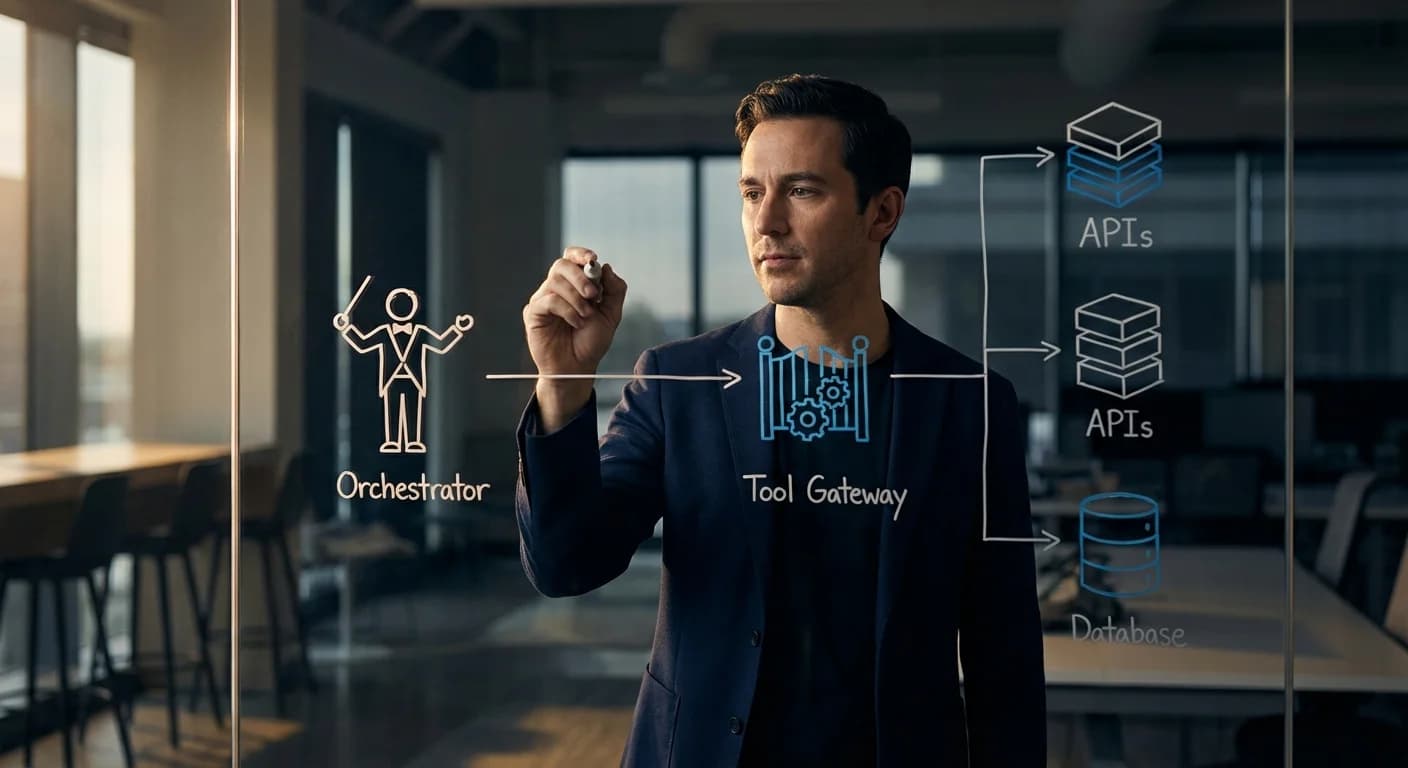
Pro Tip: Whiteboard the flow. Draw a box for the Orchestrator. Show a user prompt coming in, the Planner module generating a list of steps, the State Manager being updated, and a tool call being sent out. Visualizing the process demonstrates clarity of thought better than any description.
If the Orchestrator is the brain, the Tool Gateway is the secure airlock between the AI's thoughts and the real world. It's the component that actually executes the tool calls. Just letting an LLM directly call your internal APIs is a catastrophic security vulnerability and an operational nightmare.
The gateway’s job is to make tool usage secure, reliable, and observable.
What Interviewers Are Looking For
They are listening for words like security, observability, and standardization. A junior candidate hand-waves this part, saying, "The agent calls the API." A senior candidate explains how it calls the API safely and reliably.
Key Takeaway: The Tool Gateway isn't just a technical component; it's a governance layer. It enforces security, ensures reliability, and provides visibility into what your AI agents are actually doing. It's how you keep control.
Key Design Decisions for Your Interview
This is where you can really shine and demonstrate senior-level thinking.
1. Standardization and Discovery: How does the orchestrator even know what tools are available? Your gateway should expose a standardized schema for every tool, often using the OpenAPI specification. This allows the planning LLM to understand a tool's purpose, its required inputs, and expected outputs programmatically. This also enables dynamic tool discovery, where an agent can find and use new tools without being retrained.
2. Authentication & Authorization: This is non-negotiable. Never say "the agent will have an API key." Whose key? How is it stored?
- Credential Management: The gateway, not the agent, should manage credentials. It should fetch API keys or tokens from a secure store like AWS Secrets Manager or HashiCorp Vault just-in-time for the API call.
- Permissions: Differentiate between agent-level permissions and user-level permissions. The agent might be allowed to use the Google Calendar API, but it should only be able to access the specific user's calendar who is making the request, using their OAuth token.
3. Observability: When an agent fails, you need to know why. The gateway is the perfect place to implement this.
- Logging: Log every single tool request and response, including the parameters, the latency, and the success/failure status.
- Tracing: Implement distributed tracing (e.g., using OpenTelemetry) to follow a single user request as it flows from the orchestrator, through the gateway, to the external API, and back.
- Metrics: Track error rates, latency percentiles, and usage counts for each tool. This is vital for debugging and identifying unreliable third-party APIs.
4. Sandboxing and Safety: What if a tool allows code execution or has major side effects (e.g., send_email, delete_database_record)? You must talk about containment. Mention running high-risk tools in isolated environments like Docker containers or Firecracker microVMs to limit their blast radius.
Tying It All Together: The Travel Agent Scenario
Let's walk through the "book my travel" request again, this time with the right components.
-
Orchestrator (Planning): The orchestrator receives the prompt. The planning LLM generates a multi-step plan: [clarify_details, search_flights, present_options, get_confirmation, book_flight, ...]. It stores this plan in its state database.
-
Orchestrator to Gateway: The orchestrator executes the first step: search_flights. It constructs a standardized request and sends it to the Tool Gateway: { "tool_name": "flight_search_api:v3", "params": {...}, "user_context": {...} }.
-
Tool Gateway (Execution): The gateway takes over.
- It validates the request against the tool's schema.
- It authorizes the request, ensuring this user is allowed to search flights.
- It fetches the required API key from its secure vault.
- It calls the external flight API, handling retries on transient errors.
- It logs the entire transaction for observability.
- It transforms the messy response from the API into a clean, predictable format.
- It returns the structured result to the Orchestrator.
-
Orchestrator (State Update): The orchestrator receives the flight options. It updates its state with this new information and moves to the next step in its plan: present_options to the user.
This is a robust, secure, and debuggable system. This is the answer that gets you hired.
The Bottom Line
The landscape of AI engineering has matured. Building intelligent agents is no longer about clever prompts; it's about rigorous system design. In your next interview, prove that you're not just a model user—you're a system builder.
When the prompt comes, take a breath and start your answer not with the AI, but with the architecture that supports it. Start with the Orchestrator and the Tool Gateway. Show them you're thinking about reliability, security, and scale from day one. That’s how you'll stand out.