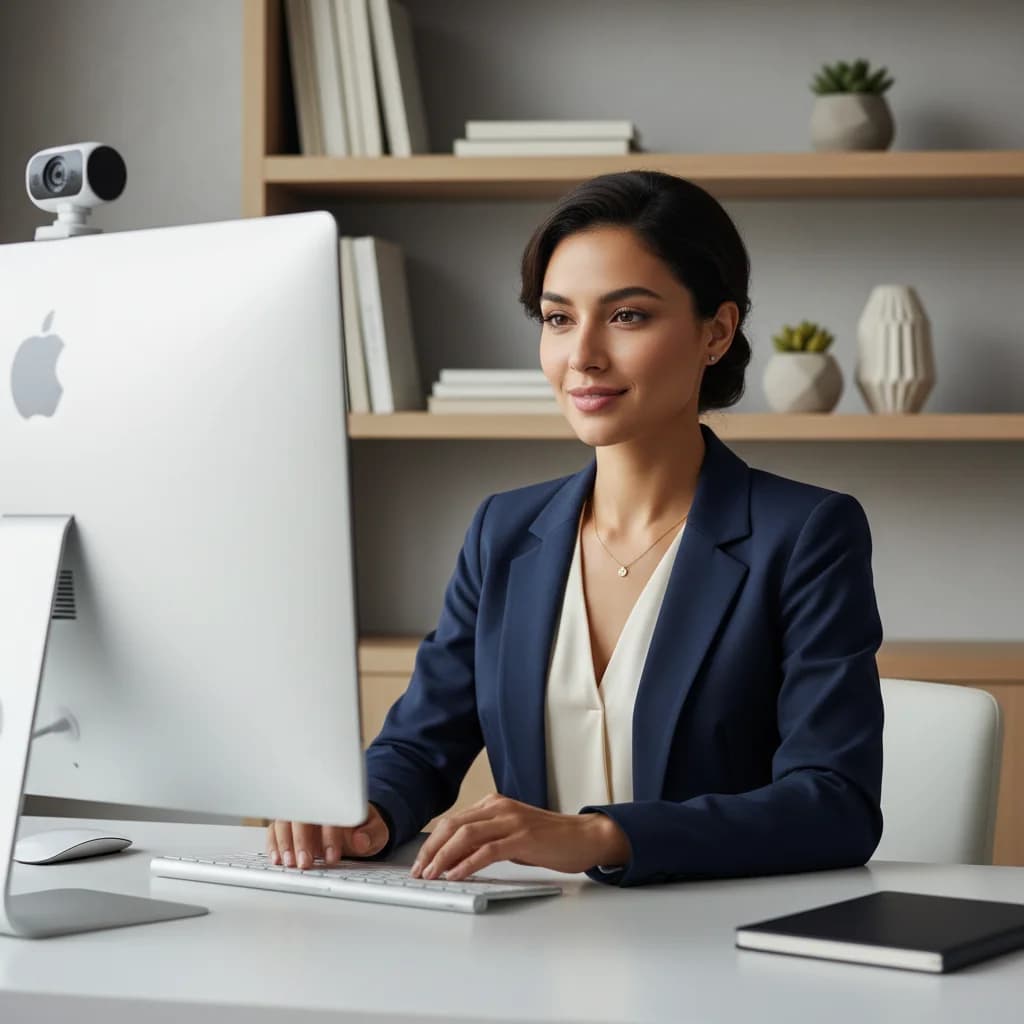
Your Webcam Is Your New Handshake
Let me tell you about a candidate I once coached. Sharp, incredible resume, perfect experience for a senior role. We prepped her answers until they were flawless. She logged into her final-round Zoom interview feeling confident. Twenty minutes later, she texted me: "I think I blew it."
What went wrong? Her internet connection kept dropping. The only light in her room was directly behind her, turning her into a silhouette. Her audio was a muffled mess. The hiring manager spent more time asking "Can you repeat that?" than digging into her expertise. She had the skills, but her virtual presence screamed 'unprepared.'
This isn't just a horror story; it's a cautionary tale for the modern job market. Your remote interview setup is the new handshake, the new suit, and the new firm first impression all rolled into one. It's the first tangible evidence an employer has of your professionalism, attention to detail, and resourcefulness. Getting it right isn't about having a fancy home office. It's about controlling the narrative and ensuring nothing distracts from your talent.
The Non-Negotiables: Your Pre-Flight Tech Check
Before you even think about what you're going to say, you need to ensure you can be seen and heard flawlessly. Don't just assume it will work. Test it. Every single time.
Audio > Video
This might seem counterintuitive, but poor audio is far more distracting and frustrating for an interviewer than slightly grainy video. If they have to strain to hear you, they'll tune out.
- Avoid Bluetooth: Wireless earbuds are convenient for music, but they can be a liability in an interview. They can run out of battery, have pairing issues, or introduce a slight audio lag.
- Embrace the Wire: A simple pair of wired earbuds with a built-in microphone is often your most reliable option. They are cheap and they just work.
- The Upgrade: If you're in a noisy environment or will be doing many interviews, a USB microphone is a worthwhile investment. You don't need a podcasting-level setup; a model like the Blue Yeti or a similar competitor provides crystal-clear audio.
Pro Tip: Record yourself speaking for 30 seconds using your chosen setup and listen back. Do you sound clear and crisp, or distant and muffled? Be honest with yourself.
Video and Connectivity
Once your audio is solid, turn to the visuals.
- Wipe Your Lens: This is the simplest and most overlooked step. A smudged webcam lens can make you look blurry and out of focus. Use a microfiber cloth.
- Test Your Connection: Don't rely on the Wi-Fi bars. Run a speed test using a site like Ookla's Speedtest an hour before your call. You want solid upload speed (at least 5 Mbps) to ensure your video stream is smooth.
- Go Wired: If possible, plug directly into your router with an Ethernet cable. It provides a much more stable and reliable connection than Wi-Fi, which can be affected by everything from your microwave to your neighbor's network.
- Have a Backup: Know how to turn your phone into a mobile hotspot. If your home internet goes down, you can switch over in seconds. This is the kind of backup plan that shows you're a problem-solver.
Mastering Light: From Silhouette to Spotlight
Lighting is the single biggest factor that separates an amateurish setup from a professional one. The goal is simple: soft, even light on your face from the front. Most people get this catastrophically wrong.
Common Mistake: The single worst thing you can do is have a bright window or light source behind you. This is called backlighting, and it forces your camera to expose for the bright light, turning you into an anonymous shadow.
The Golden Rule: Face Your Light Source
Your primary light source should always be in front of you. Here’s how to achieve that on any budget:
- The Free Method: The best light is natural light. Position your desk so you are facing a window. The soft, diffused light from a window is more flattering than any artificial light you can buy.
- The Budget Method: If you can't face a window, use a lamp. Take a desk lamp you already own, place it behind your laptop, and aim it at a white wall in front of you. The light will bounce off the wall and create a soft, diffused effect on your face. Never point a bare bulb directly at yourself—it's harsh and creates unflattering shadows.
- The Pro Method: Invest in a ring light or a small LED panel. These are incredibly affordable now. A ring light creates a clean, even light that minimizes shadows. Position it behind your webcam, slightly above eye level. Don't set the brightness to 100%; you want a natural glow, not an interrogation spotlight.
With your tech and lighting sorted, it's time to compose your shot. Think like a photographer for a moment.
Your Background Sends a Message
Your background should be intentional and distraction-free.
- Best: A clean, neutral wall or a tidy, well-organized bookshelf. It should reflect professionalism without being sterile.
- Acceptable: A non-distracting piece of art.
- Avoid: Messy rooms, unmade beds, piles of laundry, or anything that suggests disorganization.
A Warning on Virtual Backgrounds: Use them with extreme caution. Unless you have a perfect green screen and professional lighting, they often look glitchy. Your head can pixelate, and parts of you might disappear. A clean, real background is always a safer and more authentic choice.
Camera Angle and Framing
Your camera angle dictates how you are perceived.
- Eye Level is Key: The camera should be at or slightly above your eye level. If you're using a laptop, stack some books under it. Looking down at the camera is unflattering, and looking up at it can make you seem small or submissive.
- The Rule of Thirds: Position yourself so your eyes are roughly on the top third of the screen. Frame yourself from the mid-chest up. This feels natural and engaging, like a news anchor.
This is the final boss of the remote interview. We are naturally drawn to look at the other person's face on the screen, but to the interviewer, this looks like you're looking down. To create the feeling of direct eye contact, you must look at the camera lens, not the screen.
This feels unnatural, but it's critical. Here are some tricks:
- Shrink the Window: Resize the Zoom window and move it to the very top of your screen, directly underneath your webcam. This way, your eyes are naturally closer to the lens when you look at the interviewer.
- Use a Visual Cue: Place a small sticky note with an arrow or a smiley face right next to your webcam. It’s a physical reminder of where to direct your gaze when you are speaking.
- Practice the Rhythm: It's okay to look at the interviewer's face on the screen when they are talking. But when it's your turn to speak, make a conscious effort to shift your gaze back to the little green light of the camera.
You wouldn't walk into an in-person interview without practicing. The same discipline applies here, but the skills you need to practice are different. It's not just what you say, but how you present it on camera.
This is where technology can give you a significant edge. Practicing in front of a mirror is one thing, but getting objective, data-driven feedback is another. Tools like CoPrep AI are designed for this exact scenario.
Think of it as a flight simulator for your interviews. You can run through common interview questions while the AI analyzes your virtual presence. It doesn't just record you; it gives you actionable metrics on the very things we've been discussing:
- Eye Contact Percentage: You might feel like you're looking at the camera, but CoPrep can tell you that you only made eye contact 40% of the time. Seeing that number is a powerful motivator to improve.
- Filler Words: It will catch every "um," "ah," and "like," helping you sound more polished and confident.
- Pacing and Tone: Are you speaking too quickly because you're nervous? Is your tone engaging or monotonous? The AI provides feedback that even a human coach might miss.
Using a tool like CoPrep moves your preparation from guesswork to a deliberate, data-backed process. It helps you build the muscle memory for looking at the lens, speaking clearly, and presenting a confident, professional image.
Your skills and experience are what earned you the interview. But in a remote-first world, your ability to communicate effectively through a screen is what will help you close the deal. Don't let a poor setup become a barrier between you and your next great opportunity. Take an hour to test your tech, find your light, and frame your shot. It's the highest-leverage preparation you can do. Now, go ace that interview.