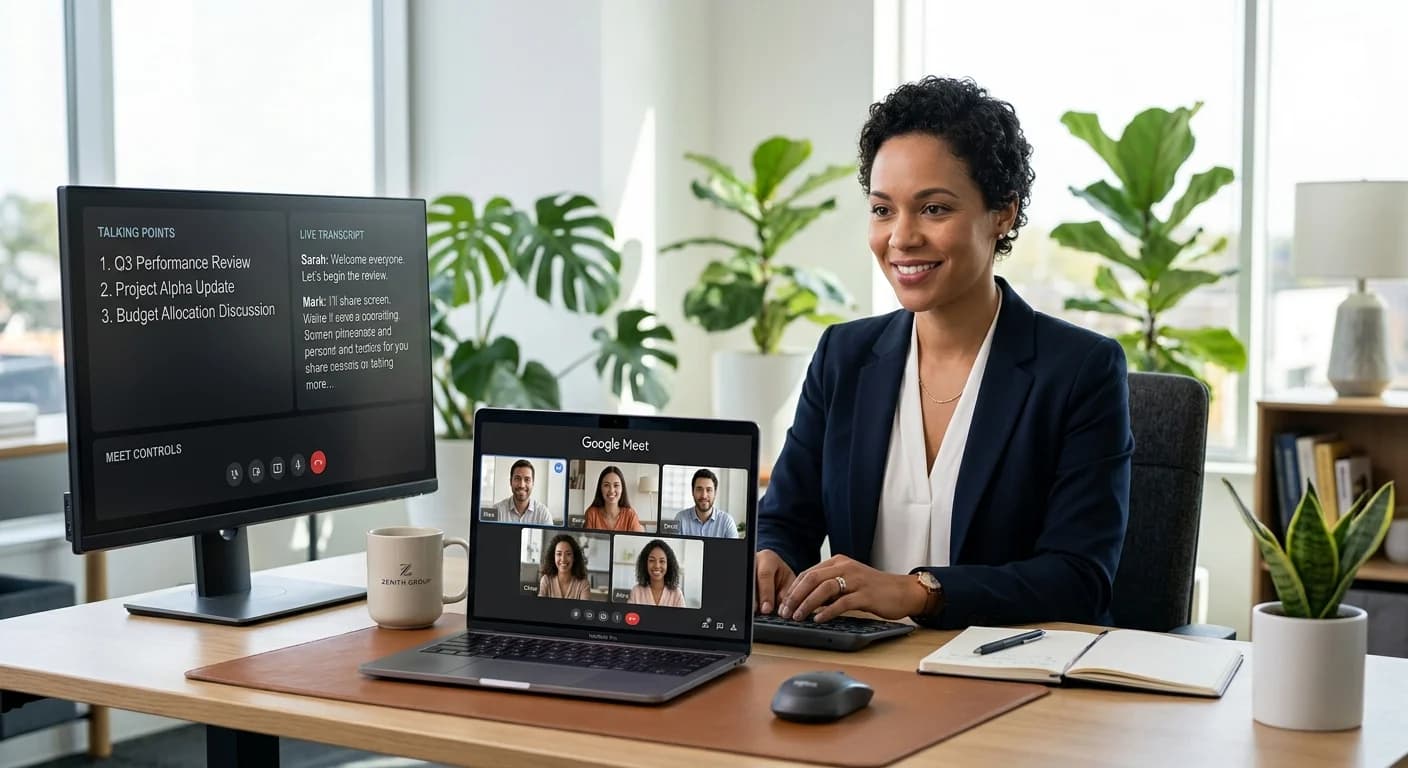
Remote hiring has transformed from a temporary necessity into a permanent fixture of the modern professional world. Google Meet, with its seamless integration into the Google Workspace ecosystem, has become one of the primary stages where these high-stakes professional interactions occur. However, as the platform has evolved, so have the tools available to candidates.
Today, the most successful job seekers are not just relying on their memory and a few scribbled notes. They are learning how to use ai in a google meet interview to manage stress, organize their thoughts, and present their best selves. This guide provides a technical and strategic roadmap for integrating artificial intelligence into your next remote interview without sacrificing the human connection that ultimately wins the job.
Why Use AI During Your Google Meet Interview?
An interview is a high-pressure environment where you are expected to recall specific achievements, align your skills with a job description, and maintain engaging body language—all at once. AI tools act as a cognitive support system, reducing the mental load so you can focus on the conversation.
Efficiency and Organization
AI can instantly transcribe the interviewer’s questions and cross-reference them with your uploaded resume or the job description. Instead of fumbling through papers, an AI interview desktop app can provide subtle prompts that keep you on track.
Confidence and Stress Management
Knowing you have a real-time interview assistant running in the background provides a safety net. If you lose your train of thought or encounter a complex behavioral question, the AI can offer bullet points or STAR method (Situation, Task, Action, Result) reminders to help you structure your response.
Preparing Your Tech Stack: Browser Extensions vs. Desktop Applications
When considering how to use AI in a Google Meet interview, the technical delivery method is your first major decision. Google Meet operates primarily within a web browser (Chrome, Firefox, or Safari), which creates two distinct paths for AI integration.
Browser Extensions
Many AI transcription and coaching tools exist as Chrome extensions. While convenient, they have limitations. They are often tied to the browser’s permissions and can sometimes be detected by the platform or interfere with the video feed. Furthermore, if your browser crashes, your assistant goes with it.
Desktop Applications
A dedicated AI interview desktop app is generally the superior choice for Google Meet users. These applications run independently of the browser. They capture system audio and display an overlay that only you can see. This separation ensures that even if you are sharing your screen to present a portfolio, the interviewer cannot see your AI coaching prompts.
Step 1: Setting up your AI interview assistant for real-time support
To get started, you need to ensure your software is calibrated to the specific audio environment of Google Meet.
- Audio Configuration: Open your AI tool and ensure it is set to record "System Audio" (to hear the interviewer) and your "Microphone" (to hear you). In Google Meet settings, verify that your input and output devices match those selected in your AI software.
- Visual Placement: Position the AI prompt window as close to your webcam as possible. This allows you to glance at your notes or coaching tips while maintaining the appearance of eye contact with the interviewer. According to Google Meet Help, maintaining a clear line of sight to the camera is essential for professional engagement.
- Context Upload: Before the call begins, feed the AI the job description and your resume. This allows the real-time interview assistant to provide contextually relevant advice during the live session.
Step 2: Using AI for live transcription and key point tracking
One of the most difficult aspects of a Google Meet interview is remembering the nuances of what the interviewer said five minutes ago. AI-driven transcription solves this by creating a live text feed of the conversation.
- Tracking Names and Roles: If you are in a panel interview, AI can help you keep track of who asked which question, allowing you to address them by name during your closing remarks.
- Identifying Keywords: Advanced AI tools can highlight keywords in the interviewer's questions. If they mention "scalability" or "cross-functional collaboration" multiple times, the AI can flag these as high-priority themes for you to address in your answers.
- Note-Taking: Instead of looking down to write, let the AI handle the transcription. This ensures you stay visually present and engaged throughout the call.
Step 3: Practicing with AI mock interviews before the live call
No tool is a substitute for genuine preparation. The best way to use AI is to treat the live assistant as a supplement to your existing knowledge. This starts with mock interview practice.
Using an AI simulator before the actual Google Meet call allows you to:
- Refine Your Delivery: AI can analyze your speaking pace, use of filler words, and the clarity of your answers.
- Test Your Setup: Practicing in a simulated environment ensures your audio routing is correct and your AI overlay is positioned perfectly.
- Build Muscle Memory: The more you practice with an AI coach, the less you will need to rely on it during the actual interview, making your performance feel more natural.
Best Practices for Using AI Discreetly and Professionally
Using technology to assist your performance is a professional skill, but it must be handled with care. The goal is to enhance your communication, not to appear like you are reading from a script.
- Maintain Eye Contact: Never stare at the AI prompts. Use them as quick references, similar to how a public speaker uses cue cards.
- Listen First: Do not start reading an AI-generated response as soon as the interviewer stops talking. Take a breath, process the question yourself, and use the AI's input to fill in any gaps in your memory.
- Humanize the Output: AI might suggest a perfect technical answer, but it lacks your personal anecdotes. Always wrap the AI’s data points in your own unique professional stories.
- Transparency: While you are not legally required to disclose note-taking tools in most jurisdictions, check your specific company's policy. Some highly regulated industries (like finance or defense) have strict rules regarding third-party software during interviews.
Common Pitfalls to Avoid When Using AI in a Live Setting
- The "Robot" Effect: If you read AI suggestions verbatim, your tone will become monotonic. Use the AI for "what" to say, but keep the "how" entirely your own.
- Technical Overload: Do not try to use five different AI tools at once. Stick to one reliable AI interview desktop app that handles transcription and coaching in a single interface.
- Ignoring the Interviewer: It is easy to get distracted by a scrolling transcript. Remember that the person on the other side of the Google Meet call is your primary focus.
- Over-reliance on Live Answers: If the internet lags or the AI misinterprets a question, you must be prepared to answer on your own. This is why mock interview practice is a non-negotiable part of the process.
Conclusion: Combining Human Personality with AI-Driven Preparation
The future of hiring is collaborative. Using AI in a Google Meet interview isn't about finding a shortcut; it's about using the best available technology to ensure your hard-earned skills and experience are communicated clearly. By setting up a robust tech stack, practicing extensively, and using real-time tools as a guide rather than a crutch, you can approach your next interview with a level of calm and clarity that was previously impossible.
Success in a remote interview comes down to the synergy between your unique personality and the precision of AI. When you use these tools correctly, you don't just answer questions—you lead a conversation that demonstrates you are the right fit for the role.
FAQ
Is it legal to use AI during a Google Meet interview?
In most cases, yes. Using an AI assistant for note-taking or coaching is generally viewed similarly to having physical notes on your desk. However, you should always review the specific interview guidelines provided by the employer. Some companies in high-security sectors may prohibit the use of third-party recording or assistance software.
Will the interviewer know if I am using an AI assistant?
If you use a browser extension that requires "joining" the meeting as a bot (like some transcription services), the interviewer will see it. However, if you use a standalone AI interview desktop app, the software operates locally on your computer and is not visible to the other participants, even during screen sharing.
Most AI tools require you to select the correct audio input (your microphone) and output (your speakers/headphones) within the AI application. Once these are synced with your Google Meet audio settings, the AI can listen to both sides of the conversation and provide real-time feedback.
Can AI help me answer technical questions in real-time?
Yes, an AI assistant can provide definitions, formulas, or framework outlines for technical questions. However, you should use these as prompts to jog your memory rather than reading them directly. Interviewers often ask follow-up questions to test the depth of your understanding, which requires genuine knowledge beyond the initial AI prompt.