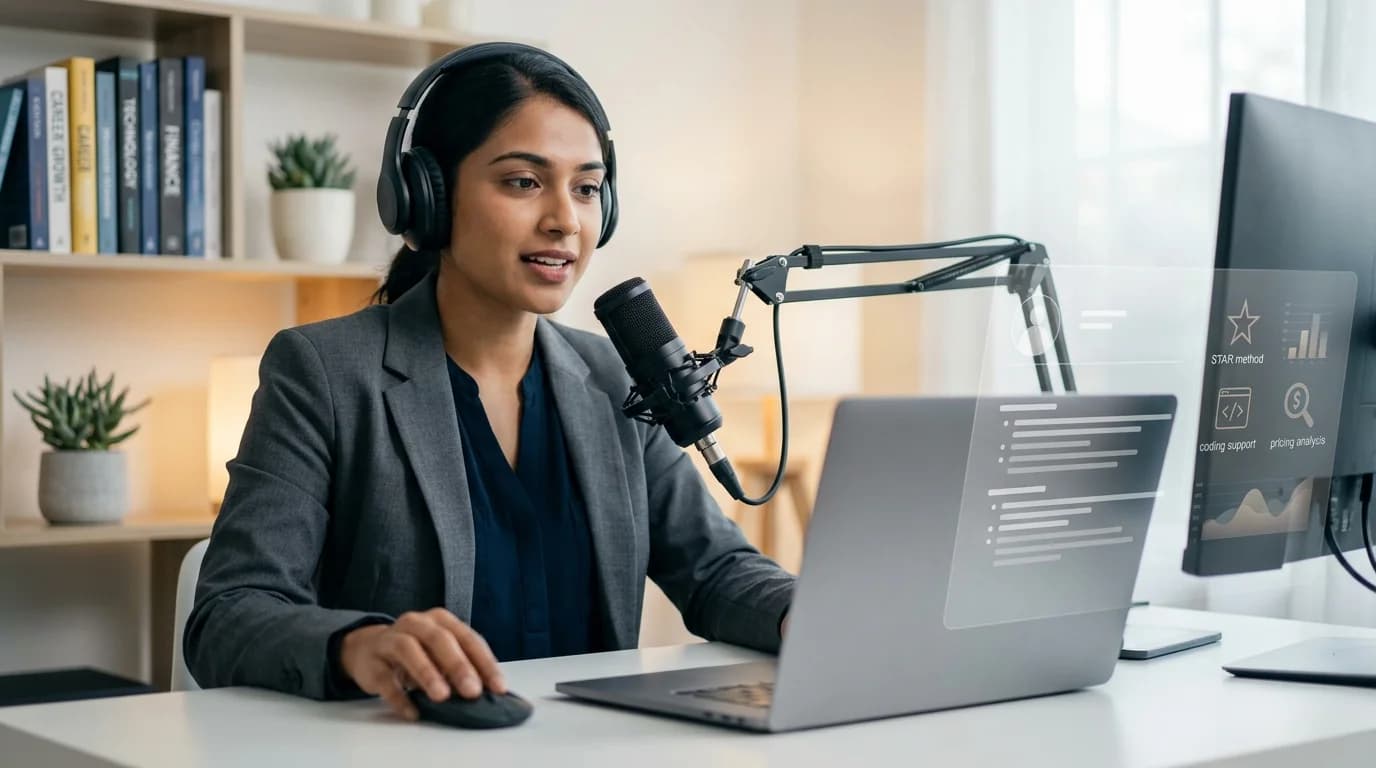
Sensei AI is a browser-based assistant for live interviews. It combines hands-free question detection, suggested answers, resume and story context, coding support, multilingual responses, an AI playground and job-search tools.
Best for: Candidates who want browser-based live help, repeatable short free sessions, resume-tailored answers or a Chrome extension for coding interviews.
Skip if: You want a desktop app, a clear and generous refund guarantee, structured mock interviews, or cannot use outside assistance under the interview's rules.
Our verdict: Sensei AI offers useful personalization and a testable free tier, but its $89 month-to-month price is high. The advertised $24 monthly rate requires $288 annual billing, and the official refund and free-session language needs careful reading.
Review methodology: This Sensei AI review uses official product, pricing, tutorial, privacy, refund and legal pages plus its current public review footprint. CoPrep AI is a competing product. We did not conduct a controlled live-interview test, so accuracy, latency, success and invisibility statements from Sensei AI are labeled as vendor claims.
Sensei AI at a Glance
| Category | Details |
|---|
| Trustpilot rating | 2.8/5 from three reviews (checked September 5, 2026) |
| Product type | Browser-based real-time AI interview copilot |
| Core tools | Live answers, coding help, resume context and AI playground |
| Platforms | Web application plus Chrome extension |
| Free access | Repeatable short sessions; official pages say 10 or 15 minutes |
| Pro monthly | $89 for unlimited Copilot sessions |
| Pro annually | $288 upfront, equivalent to $24 per month |
| Standout feature | Hands-free answers tailored to resumes and personal stories |
| Main concern | Narrow refund terms and inconsistent free-session descriptions |
What Is Sensei AI?
Sensei AI listens, detects interview questions during the conversation and suggests answers using uploaded background material.
It also includes Coding Copilot, AI Playground, resume and story tools, industry add-ons and 30-plus advertised languages.
A typical session looks like this:
- Add a resume, stories and job information.
- Choose a language and response settings.
- Test prompts in AI Playground.
- Connect audio through the browser.
- Adapt suggestions during the interview.
Sensei advertises sub-one-second latency and 96% success. These are unverified vendor figures.
Sensei AI Pricing in 2026
These prices appeared on Sensei AI's official website on September 5, 2026. The annual tab shows a monthly equivalent, while the monthly tab shows the actual month-to-month charge.
| Plan | Price | Usage |
|---|
| Free | $0 | Short Copilot sessions, resume builder, story editor and playground |
| Pro monthly | $89/month | Unlimited Copilot sessions and all listed tools |
| Pro annually | $24/month equivalent | $288 charged for one year; unlimited sessions |
The true month-to-month price is $89, not $24. The lower figure requires an annual commitment and saves 73% against twelve months at the published monthly price.
Sensei's homepage describes free sessions as 15 minutes. Its separate refund page says users receive unlimited 10-minute sessions without a card, so the current free-session limit is inconsistent across official pages.
Which Plan Makes Sense?
- First test: Repeat free sessions before adding payment details.
- One interview: The free tier may be enough for setup testing.
- Active search: Monthly Pro removes the short-session limit.
- Long interview cycle: Annual Pro lowers the equivalent rate.
- Uncertain fit: Avoid annual billing until the workflow is proven.
CoPrep AI currently offers 20 signup credits, one-time plans from $12 and monthly unlimited access at $60. Check current CoPrep AI pricing before comparing totals.
Worth knowing: Final checkout required an authenticated account. Confirm whether $89 or $288 is due, the renewal cadence and the free-session limit before subscribing.
Refund Policy: Test Before Paying
Monthly refunds are generally unavailable except under special circumstances. Sensei reserves final discretion.
Annual users may request a partial refund within three days after renewal. If approved, Sensei charges one month and refunds the remainder.
Before purchasing:
- Use free sessions first.
- Test your browser and meeting app.
- Confirm amount and cadence.
- Save billing records.
- Read the refund form.
Cancellation stops renewal but preserves access through the paid period. No ordinary monthly cooling-off refund is promised.
Key Features
Hands-Free Live Answers
Sensei says it detects questions and answers without manual prompts, with sub-one-second latency.
Use suggestions as prompts, not scripts. Answers can be generic, inaccurate or inconsistent, particularly when audio is unclear.
Resume, Story and Job Context
Users can add resumes, job information and stories, then adjust tone and formality.
Remove unnecessary identifiers and confidential employer details before uploading material. Check that examples still match your experience.
Coding Copilot
Paid Coding Copilot uses a Chrome extension to capture a coding page and send it to Sensei's application. The vendor advertises broad language and platform support.
Expect follow-ups about complexity, testing and why a solution works. Follow assessment rules.
AI Playground and Practice
AI Playground tests prompts before interviews. Sensei does not list structured scored mock interviews or post-practice coaching on its pricing page.
Use practice time to test:
- behavioral stories;
- technical explanations;
- unexpected follow-ups;
- response length and tone;
- the exact browser and audio setup.
Candidates wanting structured practice can explore CoPrep AI's AI mock interview.
Industry and Language Support
Sensei advertises several industry domains and more than 30 languages.
Test specialized terms and speech recognition with the free tier; quality may vary by language and role.
Free and Pro include resume, story, customization and industry tools.
Candidates needing only live help may not use every feature, so compare the toolkit rather than its size.
Is Sensei AI Undetectable?
Sensei calls itself fully undetectable across interview types. It runs in a browser with a Chrome extension.
Those are vendor claims. Its tutorial says older screen sharing could display a banner; its paid beta extension listens to a selected interview tab instead.
| What Can Change the Result? | Why It Matters |
|---|
| Tab vs entire-screen sharing | Full sharing can expose windows |
| Extension permissions | Extensions capture page or tab data |
| Tab and clipboard activity | Assessments may record behavior |
| Managed or proctored device | Monitoring may detect assistance |
| Software update | Capture behavior can change |
Sensei acknowledges that assessments may examine tabs, clipboards and screen behavior. “Undetectable” is not universal.
Visibility does not determine permission. Follow interview, employer and legal requirements.
Test the exact Chrome version, meeting app and sharing mode. If live assistance is restricted or unclear, ask first.
Privacy Snapshot
Sensei AI's privacy policy says it may process:
- account and contact details;
- device, log and usage data;
- payment and transaction information;
- user profiles and stored files;
- analytics and website-interaction data.
The policy was updated March 31, 2026. It covers provider sharing, security, retention and deletion rights.
It does not clearly explain audio retention, transcripts, extension capture, model providers or training. Ask support before sharing sensitive information.
Before a session:
- remove unnecessary identifiers;
- avoid confidential employer material;
- confirm audio and transcript retention;
- review stored-file deletion controls;
- obtain any required participant consent.
What Public Reviews Say
Sensei AI's independent review footprint is tiny.
The top-table Trustpilot result was checked September 5, 2026. Its unclaimed profile contained three reviews, all one-star.
Recurring themes included:
- Two reviews alleged billing, refund and support problems.
- One alleged unpaid affiliate commissions.
- None offered positive product detail.
Three reviews cannot represent all customers or prove every allegation. Two concern product subscriptions; one concerns an affiliate relationship. Save billing records and test first.
Sensei claims 11,000-plus users, 96% success and 1,500 offers. These vendor figures are separate from Trustpilot.
Pros and Cons
| Pros | Cons |
|---|
| Repeatable short free sessions | Official pages disagree between 10 and 15 minutes |
| Resume and personal-story context | $89 monthly price is relatively high |
| Hands-free question detection | $24 rate requires $288 annual billing |
| Coding Copilot Chrome extension | Monthly refunds are generally unavailable |
| More than 30 advertised languages | “Undetectable” claim has browser limitations |
| Resume, story and playground tools | Privacy policy lacks live-data specifics |
| Unlimited sessions on Pro | Independent review sample is only three |
Sensei AI vs CoPrep AI
Both products offer live interview assistance, coding help, uploaded context, multilingual workflows and broader career tools, but their billing and platform approaches differ.
| Area | Sensei AI | CoPrep AI |
|---|
| Monthly unlimited | $89 | $60 when checked |
| Annual unlimited | $24/month equivalent; $288 upfront | $30/month equivalent; $360 upfront |
| Free access | Repeatable 10- or 15-minute sessions | 20 signup credits |
| One-time paid option | Not listed | From $12 for 120 credits |
| Practice | AI Playground | Structured AI mock interviews |
| Platforms | Browser plus Chrome extension | Desktop, web and mobile interview workflows |
Choose Sensei AI if: Its browser workflow, story customization or lower annual total fits your needs and you have tested the free sessions.
Consider CoPrep AI if: You want lower month-to-month unlimited pricing, one-time credits, structured mocks or a native desktop option.
Compare CoPrep AI pricing, explore the AI Interview Copilot, or review the undetectable desktop app.
Five Checks Before You Buy
- Test relevance: Are free answers concise and grounded in your experience?
- Test latency: Can you adapt suggestions without an awkward pause?
- Test your setup: Use the intended browser, extension, audio and meeting platform.
- Check billing: Confirm whether $89 monthly or $288 annually is due.
- Check the rules: Verify consent and whether live AI help is allowed.
Also compare total commitment rather than only the lowest monthly equivalent.
Final Verdict
Sensei AI provides hands-free live suggestions, strong customization, coding support and repeatable free testing. Annual Pro is competitively priced for users willing to commit for a year.
Its drawbacks are an expensive monthly plan, narrow refund language, a browser-dependent workflow and thin independent review evidence.
Bottom line: Test several free sessions first. Choose monthly Pro only for a short active search; consider annual Pro only after verifying the session limit, browser setup and refund terms.
Frequently Asked Questions
Is Sensei AI free?
Yes. Official pages advertise repeatable free sessions without a card, but they disagree on whether each session lasts 10 or 15 minutes.
How much does Sensei AI cost?
Pro costs $89 month to month or $288 annually. The annual charge is presented as a $24 monthly equivalent.
What does Sensei AI Pro include?
Pro lists unlimited Copilot sessions, resume and story tools, customization, industry add-ons, Coding Copilot and AI Playground access.
Does Sensei AI support coding interviews?
Yes. Its paid Coding Copilot uses a Chrome extension to capture coding-page context and return suggestions. Follow assessment rules.
Is Sensei AI undetectable?
Sensei makes that claim, but browser, extension, screen-sharing and proctoring behavior varies. No assistant should be assumed universally invisible.
Can I get a refund from Sensei AI?
Monthly refunds are generally unavailable. Annual users may request a partial refund within three days after renewal, subject to Sensei's approval.
What are the main Sensei AI alternatives?
Alternatives include CoPrep AI, Verve AI, Parakeet AI, Final Round AI, LockedIn AI and Interview Sidekick. Compare checkout totals, setup, refund terms and allowed use.
Sources and Disclosure
Facts were checked on September 5, 2026, against Sensei AI's official website, Chrome listener tutorial, privacy policy, refund policy and terms, plus its Trustpilot profile. Features and prices can change.
CoPrep AI is not affiliated with, endorsed by or sponsored by Sensei AI. CoPrep AI competes in the AI interview-assistant category. No payment or free product was received from Sensei AI for this review.